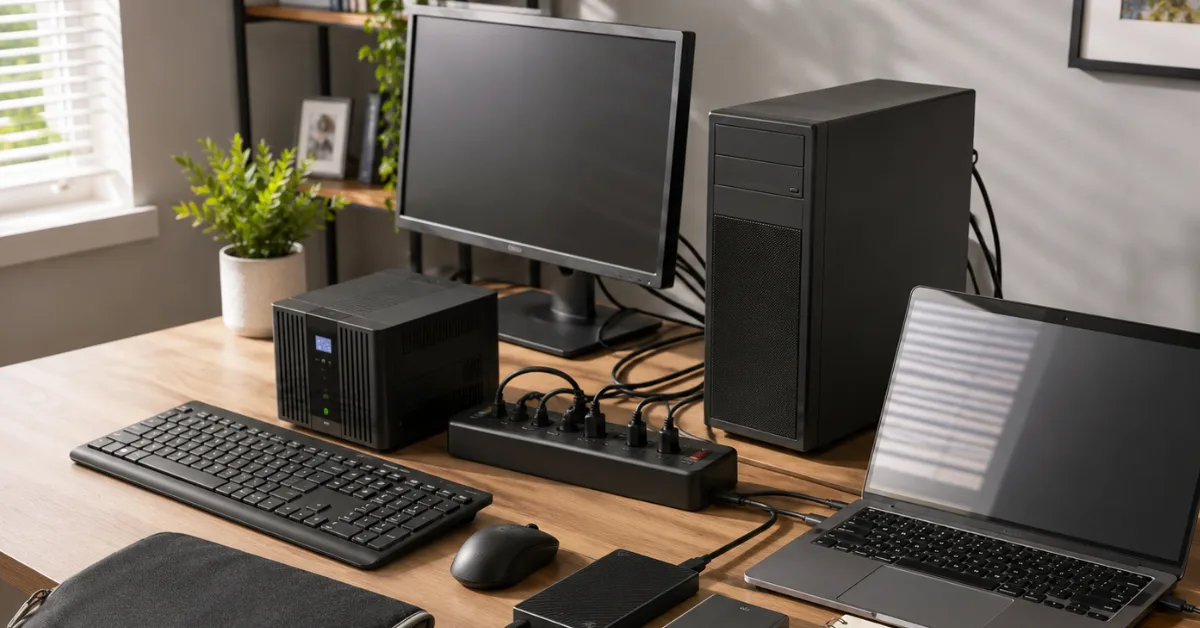
A blackout is not merely a lack of electricity for a computer. The greatest risks are the abrupt interruption of write operations, voltage disturbances when power fails or returns, and inadequate backups. A PC may start again after a sudden loss of power yet still contain corrupted files, a damaged file system or an unreadable database. Keeping work documents, family photographs, login details or essential records on only one device therefore creates an unnecessary risk.
For a desktop computer, an uninterruptible power supply, or UPS, is the most useful protective bridge. A UPS is not a replacement power system for continuing to work for hours. Its main purpose is to provide several minutes in which to save work and shut down correctly. An ordinary surge protector supplies no electricity during an outage. Only essential equipment should use the battery-backed sockets: the computer, one monitor and, where necessary, a router, modem or small NAS. Printers, heaters and other high-load devices can overload the UPS. Test its battery regularly and configure automatic shutdown through the UPS software whenever possible.
If lights flicker, the UPS reports a fault or power is lost, stop write operations first. Save open documents, cancel large file transfers and shut down the computer normally through the operating system. Then switch off the monitor, external drives, NAS and other peripherals. Once shutdown is complete, disconnect power plugs and sensitive data cables if appropriate. Never remove a USB drive while a copy is still running. A laptop battery acts briefly like a UPS, but the laptop should still be shut down properly before the battery becomes exhausted.
Do not switch computers and drives back on the moment the lights return. Following a major outage, the supply may remain unstable or cycle on and off several times. Wait until power is clearly steady. Start the router and network equipment first, then storage devices and finally the computer. If you notice unusual sounds, smells, excessive heat or error messages, switch the affected device off again. A clicking hard drive or a swollen laptop battery should not remain in service.
The most important precaution is a genuine backup strategy. The 3-2-1 rule is a useful standard: keep at least three copies of important data, use two different types of storage and keep one copy at another location. The original on the computer already counts as one copy. A second copy may be on an external hard drive or SSD, while a third can be encrypted in cloud storage or kept on media outside the home. The aim is to prevent power damage, theft, fire, water or malicious software from destroying every copy at the same time.
An external drive that remains permanently connected is convenient, but it is not a fully independent backup. It can be affected by the same surge, user mistake or malware as the computer. Physically disconnect at least one current backup after it has completed and store it safely. Label media with its contents and backup date. Do not trust irreplaceable files to a single USB flash drive. Flash drives are useful for transport, but they are not an ideal sole long-term archive.
Cloud storage is valuable, but it does not replace a local copy that is available offline. During a prolonged blackout, broadband, mobile networks, routers and authentication services may fail. Keep essential documents on an encrypted drive as well: identity documents, insurance papers, contact lists, medical information, contracts and necessary work files. Store recovery codes for two-factor authentication safely offline. Passwords and encryption keys must not exist solely in an online account that cannot be reached without internet access or a second device.
Treat storage media as delicate equipment. Traditional hard drives do not tolerate shocks while operating. SSDs and USB storage have no moving parts, but they are not indestructible and do not retain data automatically for ever. Store backup media somewhere dry, protected from dust and free from extreme heat. Do not keep every copy beside the computer when a separate location is available. Check older drives regularly, migrate important archives to new media in good time and dispose of failed storage so that personal information cannot be recovered.
A backup is useful only when restoration works. Regularly open a selection of backed-up files and occasionally perform a full test restore to another folder or spare device. Record where backups, passwords, licence keys and installation files are kept. A short blackout checklist beside the computer helps: save, stop transfers, shut down, disconnect equipment, wait for stable power and only then restart in a controlled order. This protects not only the hardware but, more importantly, the information that cannot simply be replaced.
Guides
General
23.07.2026
Protect computers, PCs and data storage during a blackout
A power cut can leave unsaved work, corrupted files and damaged drives. A UPS, orderly shutdown and multiple backups protect both equipment and data.